This is a class practice to emit a dust from the girls leg when she is running. Here's a screenshot of the girl running and the dust with the setting I did. I used a dust jpeg and out it inside the materials shader and adjust its opacity and out it in the particle system.
Friday, 13 July 2012
Sunday, 8 July 2012
Effects For Games
As for the fire, I took the image from the net and then create a material in unity. Then I create a particle effects with a ranging size of 0.5 to 2. Then attach the image to the particle and adjust its tint color.
Here's a jpeg image of the fire.
This is the fire in game.
As for the blood effects, I create a particle effect and try to make it splash downwards. So here is the picture of the blood and also the in game screenshot of it.
Here's a jpeg image of the fire.
This is the fire in game.
The next effects I did is the regen for the health box. I took the picture of a red cross sign from the net. Then I create a particle effects for the healing and assign the red cross picture and another sub emitters with a gradient of green.
Here's is the picture of the red cross.
This is the game effects.
As for the blood effects, I create a particle effect and try to make it splash downwards. So here is the picture of the blood and also the in game screenshot of it.
Sunday, 1 July 2012
More Updates
As for the Effects here is a video that I'm gonna do.
The ones im gonna do are the Fire and the Blood Splatter.
Sunday, 24 June 2012
The Effects For My Games
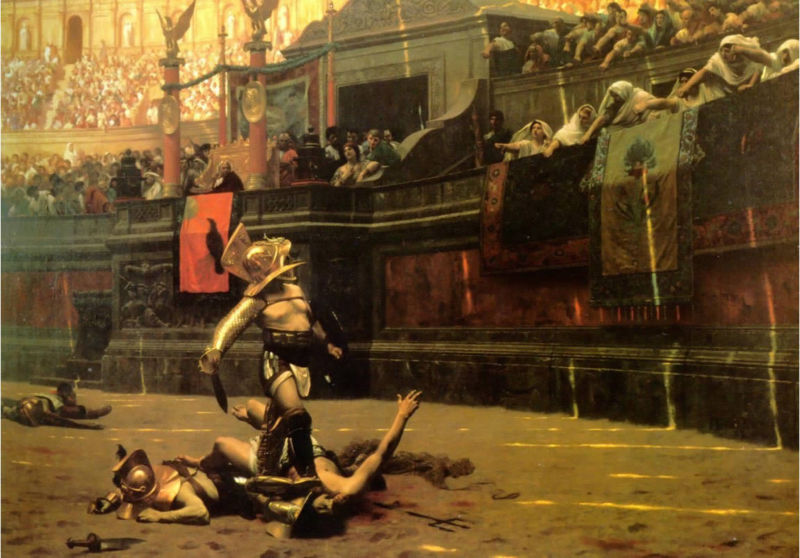
As for my part in doing the effects, I will be doing a Regen effects when the player is taking the health box. The blood splatter when the the slashing animation is played and lastly the flames around the arena.
Here are some of the reference pictures.
Saturday, 23 June 2012
24/6/2012
The stuff I need to change are the Targeting script for the player and Animation walk and slash for the player.
More Updates on what I've done for the game.
As for the dummies I manage to remodel it and do some research on making the AI track the Player So here's a piece of the tracking script which I did.
_________________________________________________________________________________
using UnityEngine;
using System.Collections;
public class EnemyAI : MonoBehaviour {
public Transform target;
public int moveSpeed;
public int rotationSpeed;
public int maxDistance;
private Transform myTransform;
void Awake() {
myTransform = transform;
}
// Use this for initialization
void Start () {
GameObject go = GameObject.FindGameObjectWithTag("Player");
target = go.transform;
maxDistance = 2;
}
// Update is called once per frame
void Update () {
Debug.DrawLine(target.position, myTransform.position, Color.yellow);
//Look at target
myTransform.rotation = Quaternion.Slerp(myTransform.rotation, Quaternion.LookRotation(target.position - myTransform.position), rotationSpeed * Time.deltaTime);
if(Vector3.Distance(target.position, myTransform.position) > maxDistance) {
//move towards target
myTransform.position += myTransform.forward * moveSpeed * Time.deltaTime;
}
}
}
_________________________________________________________________________________
So basically i get the idea that the dummy is trying to find the transform position of the player and also target the Game object with the tag name player on it, then it will approach it. I saw some of the tutorials on YouTube and did the rest of the scripts myself which are the timer, enemy attack, enemy health, player attack, player health,Score, Spawn and etc.
I manage to create a spawn points for the dummy to spawn every 10 seconds and target the player directly. I did the timer script and given the player exactly 2 mins to kill as much dummies as possible before game over.
As for the dummy, I redo the dummy to make it more human-like rather than the old one which is like a t-pose and I find the dummy hard to move against each other with the t-pose.
The start menu and how to play was done by me, to show some instruction on how to play the game before actually playing it.
The only problem which we are having now is that after we killed the dummy, we wanna target other dummy there's an error saying. MissingReferenceException: The object of type "transform" has been destroyed but you are still trying to access it.
More Updates on what I've done for the game.
As for the dummies I manage to remodel it and do some research on making the AI track the Player So here's a piece of the tracking script which I did.
_________________________________________________________________________________
using UnityEngine;
using System.Collections;
public class EnemyAI : MonoBehaviour {
public Transform target;
public int moveSpeed;
public int rotationSpeed;
public int maxDistance;
private Transform myTransform;
void Awake() {
myTransform = transform;
}
// Use this for initialization
void Start () {
GameObject go = GameObject.FindGameObjectWithTag("Player");
target = go.transform;
maxDistance = 2;
}
// Update is called once per frame
void Update () {
Debug.DrawLine(target.position, myTransform.position, Color.yellow);
//Look at target
myTransform.rotation = Quaternion.Slerp(myTransform.rotation, Quaternion.LookRotation(target.position - myTransform.position), rotationSpeed * Time.deltaTime);
if(Vector3.Distance(target.position, myTransform.position) > maxDistance) {
//move towards target
myTransform.position += myTransform.forward * moveSpeed * Time.deltaTime;
}
}
}
_________________________________________________________________________________
So basically i get the idea that the dummy is trying to find the transform position of the player and also target the Game object with the tag name player on it, then it will approach it. I saw some of the tutorials on YouTube and did the rest of the scripts myself which are the timer, enemy attack, enemy health, player attack, player health,Score, Spawn and etc.
I manage to create a spawn points for the dummy to spawn every 10 seconds and target the player directly. I did the timer script and given the player exactly 2 mins to kill as much dummies as possible before game over.
As for the dummy, I redo the dummy to make it more human-like rather than the old one which is like a t-pose and I find the dummy hard to move against each other with the t-pose.
BEFORE
AFTER
The start menu and how to play was done by me, to show some instruction on how to play the game before actually playing it.
Here are the pictures of it.
The only problem which we are having now is that after we killed the dummy, we wanna target other dummy there's an error saying. MissingReferenceException: The object of type "transform" has been destroyed but you are still trying to access it.
Sunday, 20 May 2012
21/5/2012
UPDATE FOR OUR GAME!
Modelling
As for this update, I finally finished modelling the arena by using Houdini to get the base and Maya to finish off the details such as the gates, stairs and etc.
Texturing & Lighting
After Modelling it in Maya, I start texturing the Arena to achieve the gladiator kind of texture for the whole arena. So i start finding reference for my Arena.
This is my arena after texturing it.
The end game picture is still under processing but there will be blood splatter and two interface which is Try again and Back to menu.
Modelling
As for this update, I finally finished modelling the arena by using Houdini to get the base and Maya to finish off the details such as the gates, stairs and etc.
Texturing & Lighting
After Modelling it in Maya, I start texturing the Arena to achieve the gladiator kind of texture for the whole arena. So i start finding reference for my Arena.
This is my arena after texturing it.
As you can see I tried to get a few greek design and put it on the wall and also make the metallic torch rusty to show some sign of aging to it and wood texture for the gate.After getting the texture right, I transfer it at unity and add a few lights to match with the sky background.
#Test out the Game play and End Game
I've tried out the 3rd person controller for the arena and also design the start and end game on photoshop. Here's the end game of the picture.The end game picture is still under processing but there will be blood splatter and two interface which is Try again and Back to menu.
Sunday, 13 May 2012
Colloseum
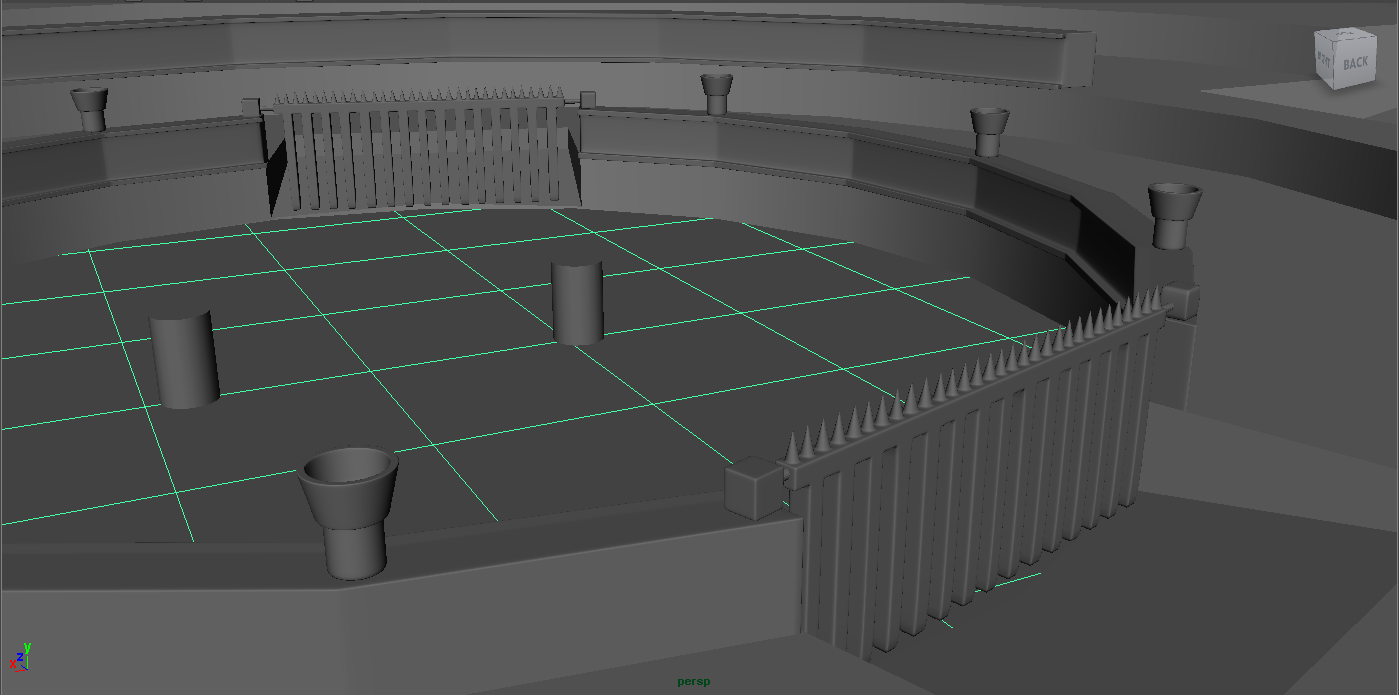
For the previous week, Mr Ron help to create the Colosseum base by using houdini, then from there I did a few touch up on it and transfer it to maya to continue modelling the gates and the design of the Colosseum. Here are some screenshots of what I did.
Im gonna add more traps for the arena and a few more detailed design to achieved a Greek kind of feeling to it.
Subscribe to:
Posts (Atom)


.jpg)